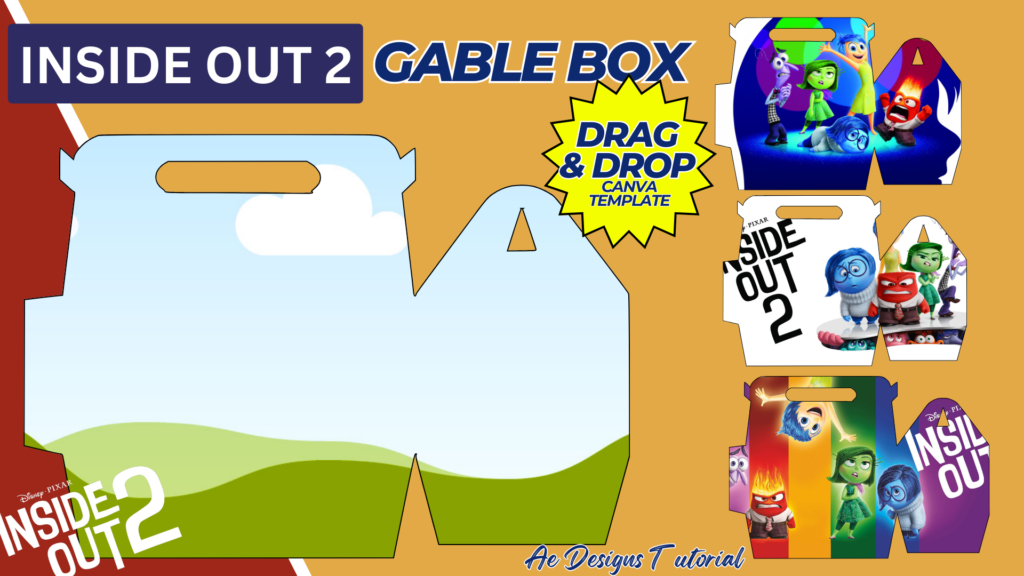
Creating a gable box inspired by “Inside Out 2” can add a fun and personalized touch to parties, gifts, or events. Gable boxes are versatile containers that can be used for treats, small gifts, party favors, or even as activity kits for children. This guide will walk you through designing an “Inside Out 2” themed gable box using Canva, a user-friendly online design tool.
1. Purpose and Uses
Purpose:
- To create a themed container for holding small items.
- To provide a fun and interactive element for parties or events.
Uses:
- Party favors
- Small gift boxes
- Activity kits
- Snack boxes
2. Materials Needed
- Computer with internet access
- Canva account (free or Pro)
- Printer
- A4 size bond paper or cardstock
- Scissors or cutting tool
- Glue or double-sided tape
3. Designing the Gable Box Template in Canva
Step-by-Step Design Process:
- Create a Canva Account:
- Sign up for a free account at Canva.
- Start a New Design:
- Click on “Create a design” and select “Custom dimensions.” Set the dimensions to 11.69 x 8.27 inches (A4 size).
- Select a Gable Box Template:
- Search for “gable box template” in the Canva template search bar. Choose a blank or simple template that you can customize.
- Add Background and Images:
- Background: Choose a bright and colorful background that matches the “Inside Out 2” theme.
- Images: Upload high-quality images of “Inside Out 2” characters like Joy, Sadness, Anger, Disgust, and Fear. Position these images strategically on different panels of the gable box.
- Customize Each Panel:
- Front and Back Panels: Feature the main characters with fun, vibrant backgrounds. Add the “Inside Out 2” logo for a professional touch.
- Side Panels: Use smaller images or patterns. You can include phrases or words related to the characters, such as “Joyful”, “Thoughtful”, etc.
- Top Flap: Decorate with a simple pattern or a small character image to keep it cohesive.
- Add Text:
- Include fun phrases or labels like “Party Favor,” “Thank You,” or the name of the child/guest. Use playful fonts that are easy to read.
- Finishing Touches:
- Ensure all images and text are within the cut lines of the template. Adjust the layout if necessary to avoid any important elements being cut off.
- Download and Print:
- Once your design is complete, download it as a high-quality PDF for printing. Choose “PDF Print” for the best resolution.
4. Assembling the Gable Box
- Print the Template:
- Print the gable box template on A4 size bond paper or cardstock for better durability.
- Cut Out the Template:
- Carefully cut along the outer edges of the template using scissors or a precision cutting tool.
- Fold the Template:
- Fold along the dotted or indicated lines to create the box shape. Be sure to crease the folds well for a neat finish.
- Assemble the Box:
- Apply glue or double-sided tape to the tabs as indicated on the template. Press the tabs firmly to ensure the box holds together.
- Secure the Top:
- Fold the top flaps down and secure them with glue or tape, or leave them as is for an easy-to-open box.
5. Enhancing the Gable Box
Decorative Elements:
- Add stickers, ribbons, or other embellishments to enhance the look of the box.
- Use glitter or metallic markers to add some sparkle.
Interactive Elements:
- Include small coloring sheets, stickers, or puzzles inside the box related to “Inside Out 2”.
- Add a small thank you note or message from the party host.
6. Practical Applications
Party Favors:
- Fill the boxes with small toys, candies, or themed items like “Inside Out 2” stickers or keychains.
- Use the boxes as table centerpieces that guests can take home.
Activity Kits:
- Include crayons, small coloring books, and stickers for a fun, take-home activity kit.
- Perfect for keeping children entertained during events or long car rides.
Gift Boxes:
- Use for small gifts during holidays, birthdays, or special occasions.
- Personalize with the recipient’s name and a special message.
7. Tips for Success
High-Quality Images:
- Use high-resolution images to ensure they print clearly.
- Avoid overly detailed images that might not show well on small surfaces.
Color Matching:
- Stick to a cohesive color scheme that reflects the movie’s theme.
- Bright, bold colors work best for catching attention.
Clear Text:
- Use large, readable fonts.
- Make sure the text contrasts well with the background for readability.
Conclusion
Designing an “Inside Out 2” gable box using Canva is a fun and creative project that can add a special touch to any event. By following this comprehensive guide, you can create a visually appealing and functional gable box that captures the playful spirit of the movie. Whether used for party favors, gift boxes, or activity kits, these custom-designed boxes are sure to delight children and adults alike. The step-by-step instructions ensure that you can easily design, print, and assemble your boxes, making them perfect for any occasion.
NOTE: Isa isahin nyo na lang ung LINK anjan din kasi ung mga MATERIALS na pwede magamit at ung FILES.
Materials & INSIDE OUT 2 GABLE BOX
Click here: https://bit.ly/3RNvjiq
Click here: https://bit.ly/3TNClnc
Click here: https://bit.ly/3RNvp9M
Click here: https://bit.ly/4cgMWzc
Click here: https://bit.ly/4ctrveY