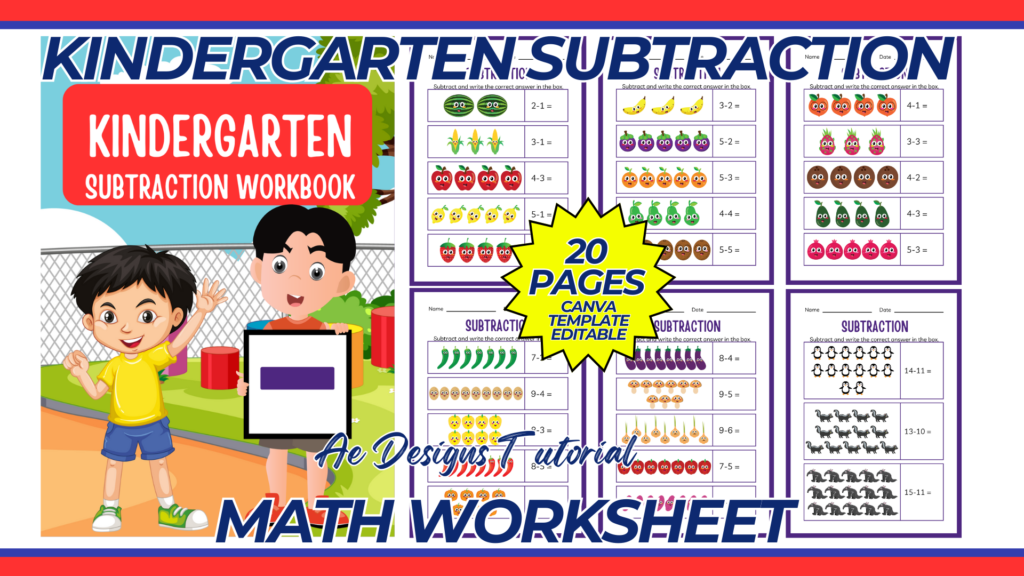
Creating a Kindergarten subtraction math worksheet template involves making a fun, engaging, and educational design to help young learners practice their subtraction skills. Below is a guide on how to create an effective and visually appealing subtraction worksheet for kindergarten students.
Key Elements to Include
- Header Section:
- Title (e.g., “Kindergarten Subtraction Worksheet”).
- Space for the student’s name and date.
- Instruction Section:
- Simple, clear instructions on what the student needs to do (e.g., “Subtract the numbers and write the answer in the box”).
- Subtraction Problems:
- A variety of subtraction problems, appropriate for kindergarten level (usually single-digit numbers).
- Space for students to write their answers.
- Visual Aids:
- Include images or illustrations (e.g., animals, fruits, or objects) to make the worksheet more engaging.
- Use visual aids to help explain subtraction (e.g., pictures showing objects being taken away).
- Fun Elements:
- Add some fun elements like coloring sections or simple mazes related to subtraction to make learning enjoyable.
- Footer Section:
- Space for teacher or parent comments.
Design Tips
- Readability:
- Use large, clear fonts.
- Ensure good contrast between text and background.
- Engagement:
- Use colorful images and borders.
- Keep the layout uncluttered and straightforward.
- Appropriateness:
- Ensure the difficulty level is suitable for kindergarten students.
- Include simple, easy-to-understand problems.
Step-by-Step Guide to Creating the Template in Canva
- Create a Canva Account:
- Sign up for a free account at Canva if you don’t already have one.
- Start a New Design:
- Click on “Create a design” and select “Custom dimensions.”
- Set the dimensions to A4 (8.27 x 11.69 inches) or your preferred size.
- Choose a Layout:
- Select a blank layout to start from scratch or choose a pre-designed template that fits your needs.
- Design the Header Section:
- Title: Add the title at the top (e.g., “Kindergarten Subtraction Worksheet”).
- Name and Date: Include lines or boxes for the student’s name and date.
- Add Instruction Section:
- Instructions: Write simple instructions (e.g., “Subtract the numbers and write the answer in the box”).
- Visual Aid: Add a small visual aid if needed.
- Create Subtraction Problems:
- Problems: Add single-digit subtraction problems (e.g., 5 – 3 = __).
- Answer Spaces: Provide space for students to write their answers.
- Add Visual Aids and Fun Elements:
- Images: Include images or illustrations (e.g., apples, stars) next to or above problems to make it visually appealing.
- Coloring Section: Add a small section for coloring related to the theme of the worksheet.
- Design the Footer Section:
- Comments: Include space for teacher or parent comments.
Sample Layout
Header Section:
- Title: Kindergarten Subtraction Worksheet
- Name: ___________________
- Date: ___________________
Instruction Section:
- Instructions: “Subtract the numbers and write the answer in the box.”
Subtraction Problems Section:
- Problem 1: 5 – 2 = ____
- Problem 2: 8 – 3 = ____
- Problem 3: 6 – 1 = ____
- Problem 4: 9 – 4 = ____
- Problem 5: 7 – 5 = ____
Visual Aids Section:
- Include images of apples with some removed to illustrate subtraction.
Fun Elements Section:
- Coloring section with a picture of a happy face or simple maze.
Footer Section:
- Comments: ___________________
Conclusion
By following this guide, you can create an engaging and educational Kindergarten subtraction math worksheet template using Canva. This template will help young learners practice their subtraction skills in a fun and effective way. Once completed, print the worksheet for classroom or home use and share it digitally if needed.
NOTE: Isa isahin nyo na lang ung LINK anjan din kasi ung mga MATERIALS na pwede magamit at ung FILES.
Materials Kindergarten Subtraction Math Worksheet
Click here: https://bit.ly/3Y0Z2IF
Click here: https://bit.ly/3RYUZsg
Click here: https://bit.ly/3TNClnc
Click here: https://bit.ly/3YAKAam
Click here: https://bit.ly/3LeqsCW