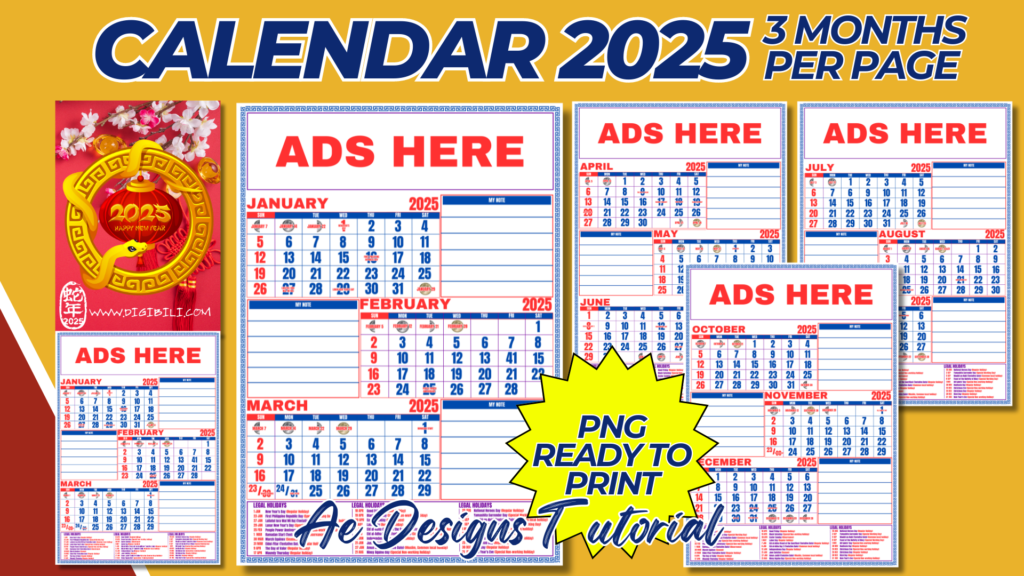
Creating a 2025 calendar with 3 months per page, in portrait orientation at A4 size, involves designing a compact and organized layout that allows users to view multiple months at a glance. Here’s a detailed guide on how to create such a calendar:
1. Layout Overview:
- Page Size: The calendar will be designed for A4 size (210 x 297 mm or 8.27 x 11.69 inches) in portrait orientation.
- Three-Month View: Each page will display three consecutive months, resulting in a total of four pages for the entire year (January-March, April-June, July-September, October-December).
2. Header Section:
- Year Display: At the top of each page, prominently display “2025” for easy reference. You may choose a bold, stylish font that aligns with the overall theme of the calendar.
- Month Names: Display the names of the three months at the top, in a row or column format, depending on your design preference. Ensure that the month names are clear and easy to read.
3. Date Grids:
- Grid Layout: Create three separate grids on each page, one for each month. Each grid should be aligned vertically or horizontally, with enough space between them for clarity.
- Day Labels: Label the days of the week (Sunday to Saturday) at the top of each grid. Consider using a different color or style for weekends to differentiate them from weekdays.
- Numbering: Ensure that the dates are clearly numbered within each box, with enough space for users to write notes if needed.
- Weekends and Holidays: Highlight weekends with a subtle color difference, and mark public holidays with a special symbol or color.
4. Footer Section:
- Notes Area: If space permits, include a small section at the bottom of each page for notes or additional information. This area can be used for important reminders, upcoming events, or other useful details.
5. Design Theme:
- Consistency: Maintain a consistent design theme across all four pages. Whether you choose a minimalist style, seasonal illustrations, or a specific color palette, ensure that it is applied uniformly.
- Visual Elements: Add small, relevant illustrations or patterns that correspond to the season or theme of the months displayed. For example, snowflakes for winter months or flowers for spring.
- Color Scheme: Use a cohesive color scheme that is easy on the eyes and complements the overall design. Ensure that the colors used for weekends, holidays, and special dates are distinct but harmonious.
6. Printing Considerations:
- High Resolution: Ensure all elements are in high resolution (at least 300 DPI) to maintain print quality.
- Bleed and Margins: Set appropriate bleed and margins to ensure that no important elements are cut off during printing. A 3mm bleed is standard for A4 size prints.
- File Format: Save each page as a separate PNG file in high resolution, making sure the design is print-ready.
7. Final Checks:
- Proofreading: Double-check all dates, month names, and holidays to ensure accuracy. It’s crucial that each month starts on the correct day of the week.
- Test Print: Before finalizing, print a test page to see how the design translates to paper. Make adjustments if necessary based on the test print results.
- Distribution: Once finalized, the calendar can be shared digitally or printed in bulk. It’s suitable for both personal and professional use.
By following these guidelines, you’ll create a functional and aesthetically pleasing 2025 calendar with three months per page, in portrait A4 size. This format allows users to plan and organize their year efficiently, with a clear overview of upcoming months.
NOTE: Isa isahin nyo na lang ung LINK anjan din kasi ung mga MATERIALS na pwede magamit at ung FILES.
Materials CALENDAR 2025 3 MONTHS PER PAGE
Click here: https://bit.ly/3Y0Z2IF
Click here: https://bit.ly/3RYUZsg
Click here: https://bit.ly/3MhvIGo
Click here: https://bit.ly/3TNClnc
Click here: https://bit.ly/3LeqsCW