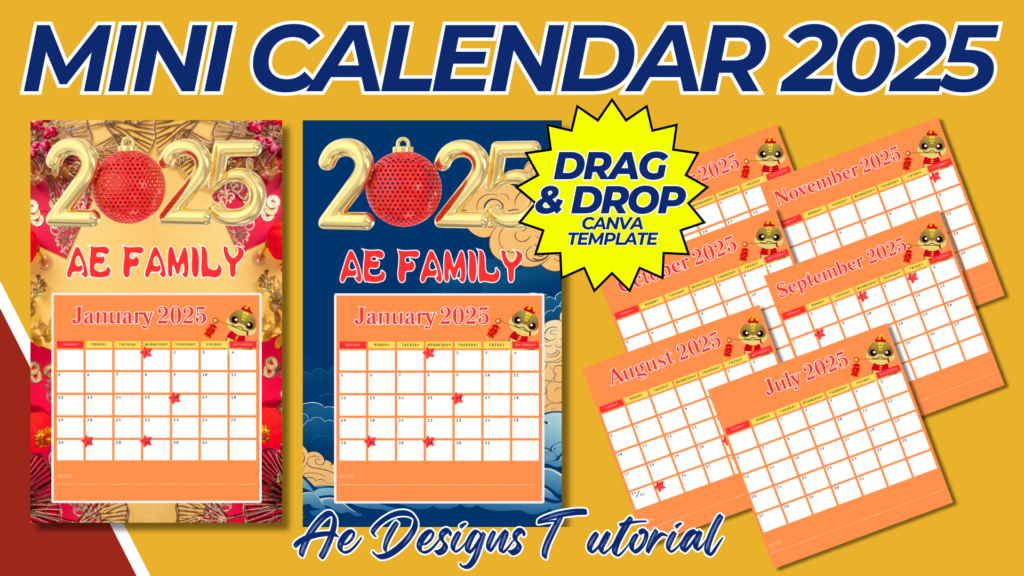
Creating a mini calendar template for 2025 involves designing a compact and functional layout that’s easy to carry or display in small spaces. Here’s a step-by-step guide to creating a mini calendar template:
1. Size and Format:
- Page Size: Mini calendars typically range from 3×5 inches to 4×6 inches. Choose a size that’s portable and easy to handle.
- Layout Options:
- Single-Page: The entire year is displayed on a single page.
- Multi-Page: Each month is on its own page or a set of months on a few pages.
2. Header Section:
- Year Display: Prominently feature “2025” at the top of the calendar. The font should be clear but not overpowering the layout.
- Branding (Optional): If the calendar is for a business or event, include a small logo or tagline near the year display.
3. Monthly Layout:
- Grid Design: For each month, create a small grid with clearly labeled days of the week and dates. The grid should be minimal but functional, allowing space for users to see important dates at a glance.
- Day Labels: Use abbreviations for the days of the week (e.g., Mon, Tue, Wed) to save space.
- Holidays and Weekends: Highlight weekends with a different color or shade, and mark public holidays with a special symbol or a different color.
4. Additional Features:
- Mini Notes Section: Consider adding a small notes section below or beside each month for quick reminders or important dates.
- Special Dates: Optionally, include space for users to note down birthdays, anniversaries, or other significant events.
5. Design and Aesthetics:
- Theme: Choose a theme that matches the purpose of the calendar. It could be seasonal (spring, summer, fall, winter), related to hobbies (travel, nature, art), or just a simple, clean design.
- Colors: Use a limited color palette to keep the design clean and easy to read. Ensure that the colors used for weekends and holidays stand out but don’t clash with the rest of the design.
- Fonts: Select fonts that are legible even at small sizes. Consider using a sans-serif font for clarity.
6. Printing Considerations:
- High Resolution: Ensure the template is created in high resolution (at least 300 DPI) for clear printing.
- Bleed and Margins: Include a small bleed (usually around 3mm) to ensure the calendar prints without any cutoff.
- File Format: Save the template in a print-ready format like PNG, PDF, or JPEG, ensuring that it’s easily accessible for users to print at home or professionally.
7. Assembly (for Multi-Page Calendars):
- Binding Options: For multi-page mini calendars, consider binding methods like spiral binding, stapling, or using a small stand for desktop use.
- Cutting Guides: If creating a single-page mini calendar that requires cutting, include clear cutting guides to help users cut out the calendar neatly.
8. Final Touches:
- Proofreading: Double-check all dates, day labels, and holidays to ensure accuracy.
- Test Print: Print a sample of the mini calendar to ensure everything looks correct and is legible.
- Distribution: Once finalized, the mini calendar template can be distributed digitally or printed and shared as physical copies.
This mini calendar template for 2025 will be a practical and stylish tool, perfect for personal use, giveaways, or promotional items. Its compact size makes it easy to carry around or display in small spaces, keeping important dates within easy reach all year long.
NOTE: Isa isahin nyo na lang ung LINK anjan din kasi ung mga MATERIALS na pwede magamit at ung FILES.
Materials MINI CALENDAR 2025
Click here: https://bit.ly/3Y0Z2IF
Click here: https://bit.ly/3RYUZsg
Click here: https://bit.ly/3Xh1iKU
Click here: https://bit.ly/3TNClnc
Click here: https://bit.ly/4dSp3OT
Click here: https://bit.ly/3LeqsCW