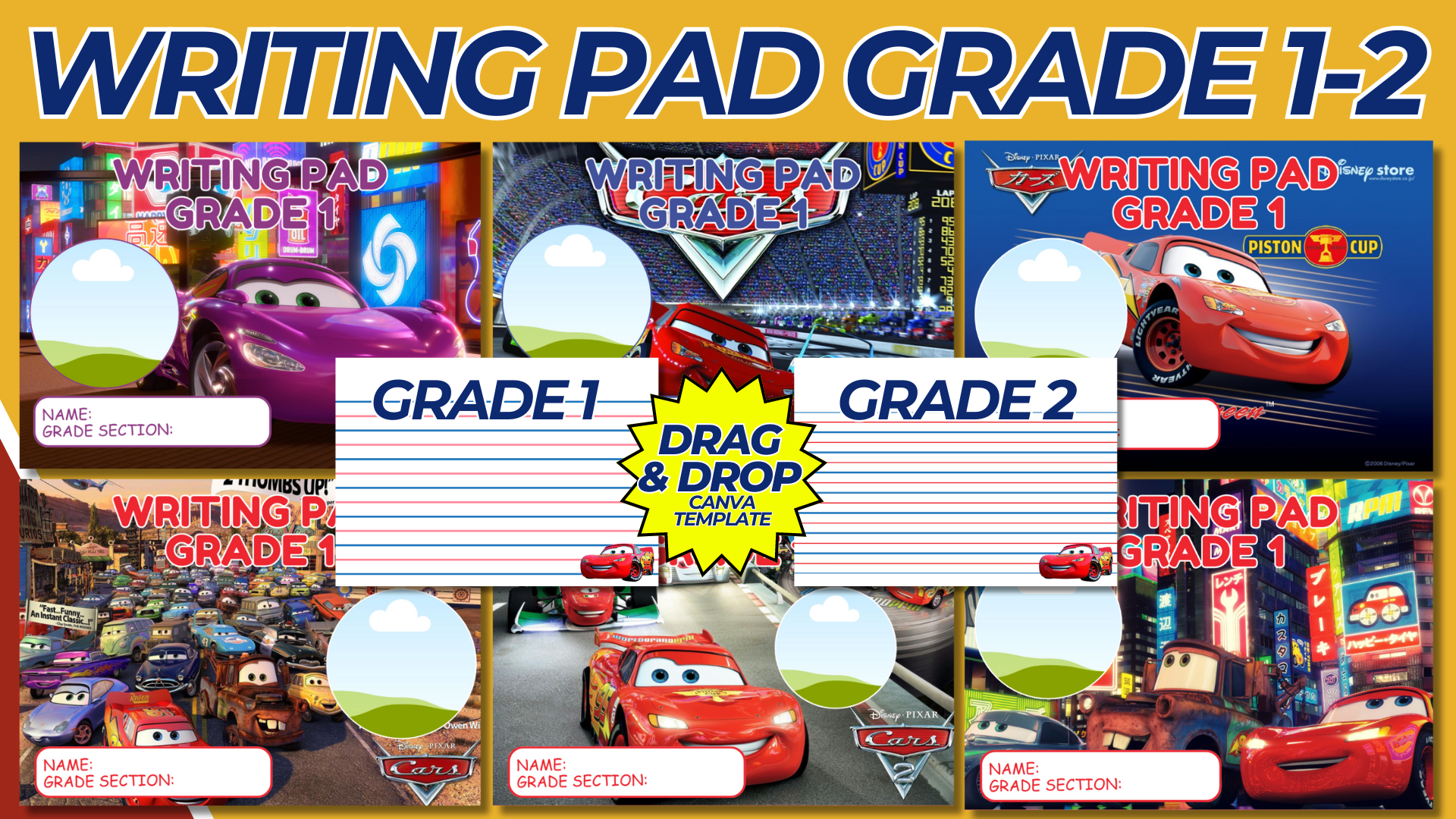

Creating a Lightning McQueen-themed writing pad cover is an exciting project that will delight fans of the beloved character from Disney’s “Cars.” This template can be used for personal use, gifts, or even for educational purposes to make writing pads more engaging for kids. Below is a detailed guide to help you design a Lightning McQueen writing pad cover template.
Purpose and Benefits
Purpose:
- To create a themed cover for writing pads that features Lightning McQueen from Disney’s “Cars.”
- To make writing pads more appealing and fun for kids.
Benefits:
- Encourages children to use their writing pads more frequently.
- Adds a personal and decorative touch to school supplies.
- Makes a great gift for young fans of “Cars.”
Materials and Tools Needed
- Computer with internet access.
- Design software like Canva, Adobe Illustrator, or Photoshop.
- High-resolution images of Lightning McQueen and other “Cars” elements.
- Printer and high-quality paper for printing (optional).
Designing the Lightning McQueen Writing Pad Cover Template
Step-by-Step Process:
- Create a Canva Account:
- Sign up for a free account at Canva or use other design software like Adobe Illustrator or Photoshop.
- Start a New Design:
- Click on “Create a design” and select “Custom dimensions.”
- Set the dimensions to standard writing pad size (e.g., 8.5 x 11 inches).
- Choose a Background:
- Select a background that complements the Lightning McQueen theme. This could be a racetrack, desert scene, or a plain color that matches the character’s aesthetic (red, black, or blue).
- Add Lightning McQueen Image:
- Insert a high-resolution image of Lightning McQueen. Place it prominently on the cover, making it the focal point of the design.
- Add Title Text:
- Create a text box and type in a title such as “Lightning McQueen Writing Pad” or “Speed into Writing with Lightning McQueen.”
- Choose a bold, playful font that is readable and matches the theme.
- Adjust the font size and color to ensure it stands out against the background.
- Include Additional Elements:
- Add other elements related to the “Cars” theme, such as checkered flags, racing numbers, or other characters like Mater or Sally.
- Position these elements around the main image of Lightning McQueen to create a balanced and engaging layout.
- Customize with Borders and Frames:
- Add borders or frames around the edges of the cover to give it a polished look. Consider using patterns like tire tracks or checkered flags.
- Ensure Printability:
- Make sure all elements are within the printable margins.
- Check that the resolution is high enough for clear prints.
- Save and download in a high-resolution format suitable for printing (e.g., PDF).
- Save and Print:
- Save your design and download it as a high-resolution PDF.
- Print the cover on high-quality paper and attach it to the writing pad. Alternatively, offer the design as a digital download for easy access.
Sample Lightning McQueen Writing Pad Cover Layout
Design Elements:
- Background: Racetrack scene with a gradient of red and black.
- Main Image: Large, high-resolution image of Lightning McQueen centered.
- Title: “Lightning McQueen Writing Pad” in bold, white font with a red outline.
- Additional Graphics: Checkered flags at the top corners, tire tracks at the bottom, and a small image of Mater near the bottom left corner.
- Borders: Checkered flag pattern around the edges.
Example Design
- Background:
- Color: Gradient of red fading to black.
- Pattern: Subtle tire track marks in the background.
- Main Image:
- Placement: Centered, occupying the middle portion of the cover.
- Size: Large enough to be the focal point but not overpowering.
- Title Text:
- Font: Bold, playful font such as “Comic Sans” or “Arial Black.”
- Color: White with a red outline to match Lightning McQueen.
- Placement: Top of the cover, centered.
- Additional Elements:
- Checkered Flags: Small flags in the top corners.
- Tire Tracks: Bordering the bottom edge.
- Other Characters: Small image of Mater near the bottom left corner for added interest.
- Borders:
- Style: Checkered flag pattern to frame the entire cover.
- Color: Black and white to contrast with the red background.
Conclusion
By following this guide, you can create an engaging and fun Lightning McQueen writing pad cover that will appeal to fans of Disney’s “Cars.” This cover will not only make writing pads more attractive but also encourage kids to use them more frequently. Whether for personal use, as a gift, or for educational purposes, a Lightning McQueen-themed writing pad cover is a fantastic addition to any child’s school supplies.
NOTE: Isa isahin nyo na lang ung LINK anjan din kasi ung mga MATERIALS na pwede magamit at ung FILES.
Materials CARS GRADE 1-2 WRITING PAD
Click here: https://bit.ly/3Y0Z2IF
Click here: https://bit.ly/3LDDoCR
Click here: https://bit.ly/3RYUZsg
Click here: https://bit.ly/3TNClnc
Click here: https://bit.ly/3LeqsCW