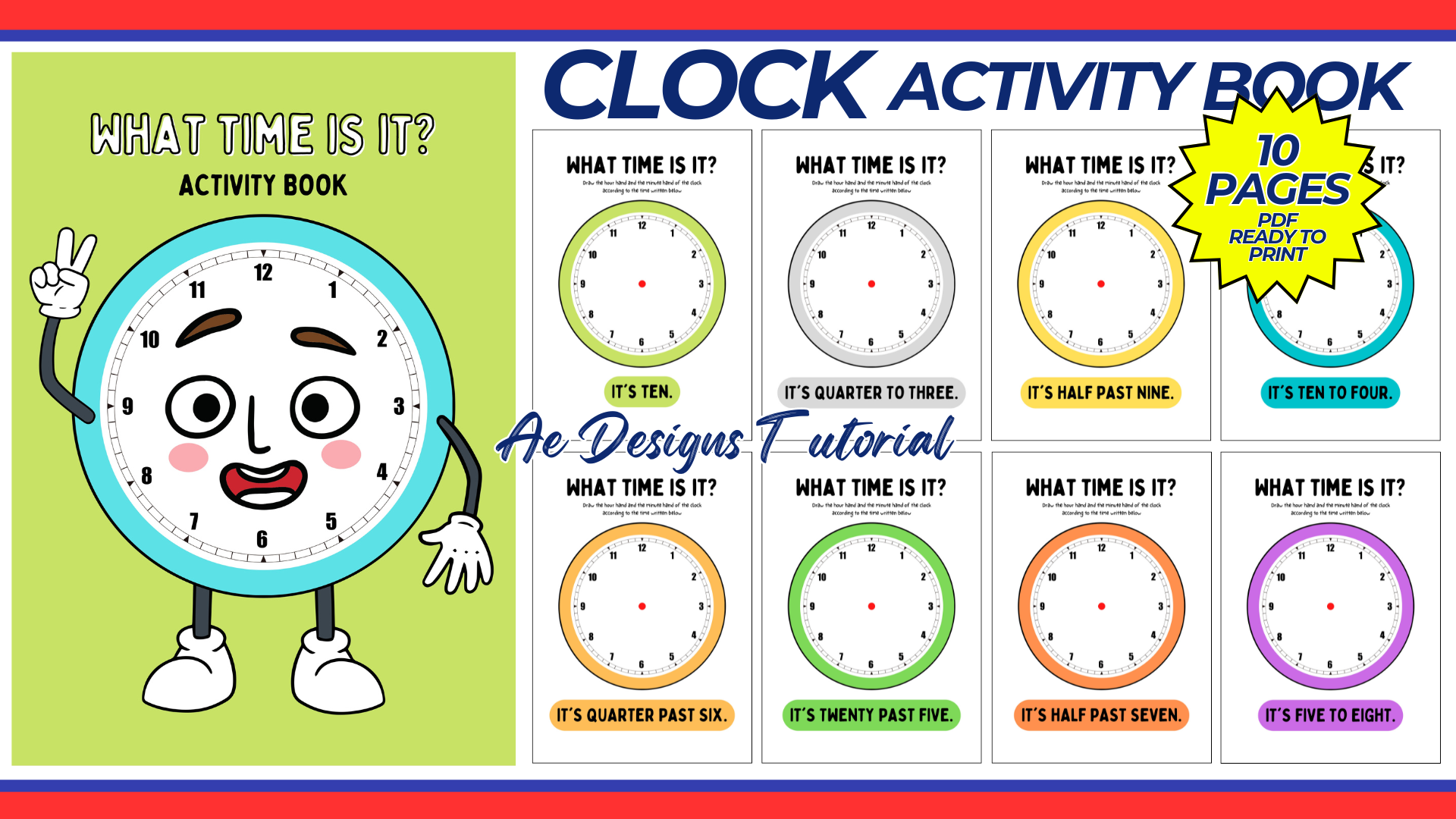

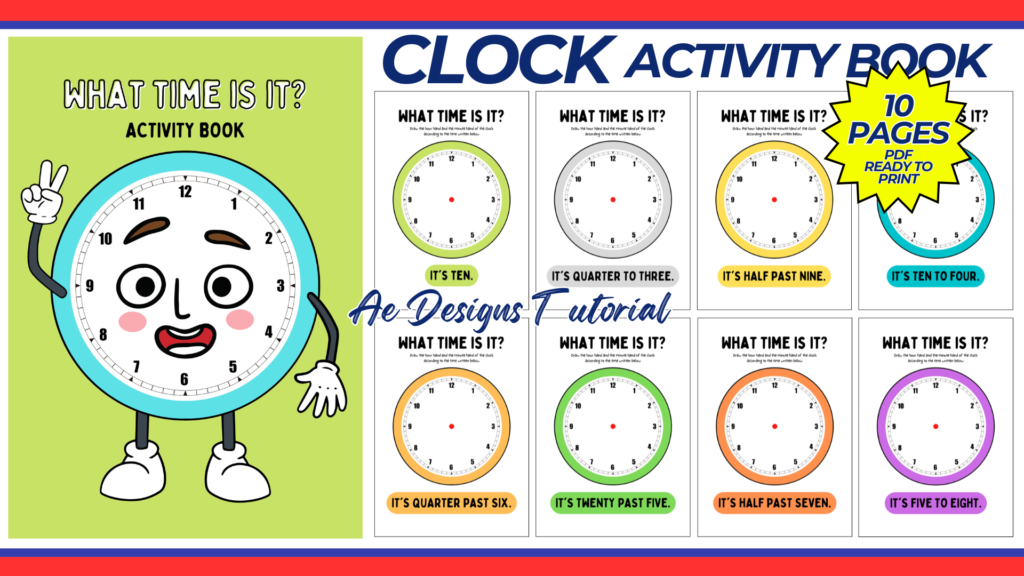
A clock activity book can be a fun and educational tool for teaching children how to tell time. This guide will walk you through the steps to create a comprehensive and engaging clock activity book, complete with various activities and exercises designed to help kids master the concept of telling time.
1. Purpose and Benefits
Purpose:
- To provide a structured and interactive way for children to learn how to tell time.
- To offer a variety of activities that cater to different learning styles.
Benefits:
- Enhances understanding of time concepts.
- Improves fine motor skills through hands-on activities.
- Makes learning enjoyable and engaging.
2. Materials Needed
- Computer with internet access
- Canva account (free or Pro)
- Printer
- A4 size bond paper or cardstock
- Binding materials (e.g., stapler, binder, or spiral binding)
- Scissors, glue, and crayons or markers
3. Designing the Clock Activity Book in Canva
Step-by-Step Design Process:
- Create a Canva Account:
- Sign up for a free account at Canva.
- Start a New Design:
- Click on “Create a design” and select “Custom dimensions.” Set the dimensions to 8.5 x 11 inches (standard A4 size).
- Cover Page Design:
- Design an engaging cover page with the title “Clock Activity Book.”
- Add colorful images of clocks, children, and time-related elements to make it attractive.
- Table of Contents:
- Create a table of contents page listing all the activities included in the book. This helps in organizing the content and guiding the children and parents/teachers.
4. Activities to Include in the Clock Activity Book
Activity 1: Introduction to Clocks
- Page Design: Create a simple page explaining the parts of an analog clock (hour hand, minute hand, numbers, etc.).
- Interactive Element: Include a blank clock face for kids to label the parts.
Activity 2: Drawing Clock Hands
- Page Design: Provide several clock faces with different times written below (e.g., 3:00, 6:30).
- Task: Ask children to draw the hour and minute hands on each clock.
Activity 3: Telling Time Practice
- Page Design: Create pages with multiple clock faces showing different times.
- Task: Children write the time shown on each clock face.
Activity 4: Matching Digital and Analog Clocks
- Page Design: Draw pairs of digital and analog clocks.
- Task: Match the digital time with the corresponding analog clock.
Activity 5: Time Puzzles
- Page Design: Create cut-out puzzles where children match the clock face with the correct time.
- Task: Glue the correct time piece next to the clock face.
Activity 6: Time Story Problems
- Page Design: Write simple story problems involving time (e.g., “If school starts at 9:00 AM and lasts for 6 hours, what time does school end?”).
- Task: Children solve the problems and draw the corresponding times on clock faces.
Activity 7: Daily Routine Scheduler
- Page Design: Provide a blank daily schedule with clock faces for different times of the day.
- Task: Children fill in their daily activities (e.g., breakfast at 7:00 AM, playtime at 4:00 PM).
Activity 8: Hour and Half-Hour Activities
- Page Design: Create pages focused on practicing hours and half-hours.
- Task: Draw the time on clock faces and write the digital time for given hours and half-hours.
Activity 9: Quarter Hour Activities
- Page Design: Include clock faces focusing on quarter past, half past, and quarter to times.
- Task: Children draw the hands and write the times.
Activity 10: Fun Clock Coloring Pages
- Page Design: Add fun coloring pages with clocks.
- Task: Children color the clocks and draw the time on them as specified.
Activity 11: Clock Maze
- Page Design: Create a maze where children follow the correct times to reach the end.
- Task: Find the path from the start to the finish by following the correct sequence of times.
Activity 12: Cut and Paste Clock Hands
- Page Design: Provide cut-out clock hands and blank clock faces.
- Task: Cut out the hands and paste them onto the correct times on the clock faces.
5. Printing and Assembling the Clock Activity Book
- Print the Pages:
- Print the designed pages on A4 size bond paper or cardstock for better durability.
- Cut Out and Assemble:
- For activities requiring cut-outs, carefully cut the pieces.
- Organize the pages in the correct order.
- Bind the Book:
- Bind the pages using a stapler, binder, or spiral binding for easy flipping and durability.
6. Tips for Teaching Time-Telling Skills
Start Simple:
- Begin with the basics, such as understanding the clock face and the functions of the hour and minute hands.
Consistent Practice:
- Encourage regular practice using the activity book.
- Use real-life scenarios to reinforce learning (e.g., asking what time it is, setting timers).
Interactive Learning:
- Incorporate hands-on activities, such as using a real clock to demonstrate time-telling.
- Use the cut-and-paste activities to make learning tangible and interactive.
Positive Reinforcement:
- Praise and reward children for their progress and correct answers.
- Use stickers or a reward chart to track and celebrate achievements.
Conclusion
A clock activity book is an excellent resource for helping children learn to tell time. By following this guide, you can create a comprehensive and engaging clock activity book that includes a variety of fun and educational activities. Regular practice with the activity book, combined with interactive learning and positive reinforcement, will ensure that children master the concept of telling time, laying a strong foundation for their daily routines and time management skills.
NOTE: Isa isahin nyo na lang ung LINK anjan din kasi ung mga MATERIALS na pwede magamit at ung FILES.
Materials & CLOCK ACTIVITY BOOK FOR KIDS
Click here: https://bit.ly/3OZg2t9
Click here: https://bit.ly/3P5RM93
Click here: https://bit.ly/3REjSJX
Click here: https://bit.ly/3V0JCST
Click here: https://bit.ly/3L6rjpn
Click here: https://bit.ly/4ctrveY