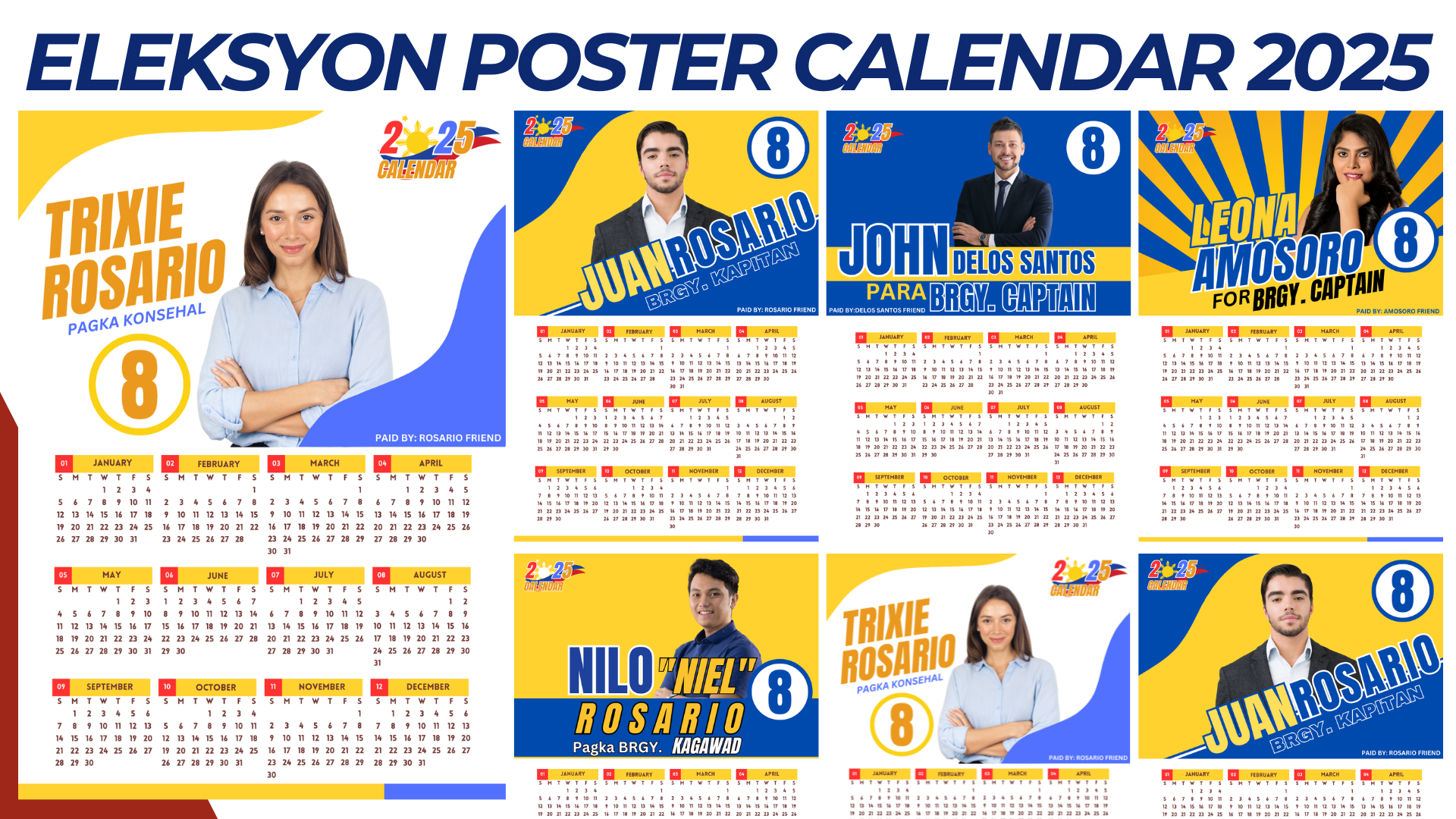

Eleksyon Poster Calendar 2025 Design
Specifications
- Size: Standard poster size (A3 or A4, depending on preference).
- Theme: Election and civic duty, using patriotic colors and icons to inspire participation in the 2025 election.
- Layout: Calendar grid with all 12 months, highlighting important election-related dates like the voter registration deadline, election day, and campaign periods.
Design Layout Components
- Header Section
- Title: “Eleksyon 2025” or “Handa Ka Na Ba?” with a tagline like “Your Vote, Your Future.”
- Color Scheme: Use colors associated with the country’s flag (e.g., red, blue, white).
- Graphics: Include patriotic symbols, such as the national flag, map, or icons representing unity and democracy.
- Calendar Grid
- Monthly Display: Arrange all 12 months in a clean, easy-to-read grid.
- Highlight Key Dates: Use color-coding or icons for critical election-related dates (e.g., registration deadline, official campaign period, and election day).
- Icons for Events: Add icons like a ballot box, check mark, or hand voting next to special dates.
- Informative Sidebar or Footer
- Voter Tips: Quick tips like “Register early,” “Research candidates,” and “Know your rights.”
- Important Contacts: Include a hotline for election inquiries or website information for the official election commission.
- Motivational Message
- Use a short, inspiring message like “Every Vote Counts!” or “Bumoto Para sa Kinabukasan” to encourage participation.
Design Themes and Variations
- Minimalist Style: Simple layout with bold colors and a focus on key election dates.
- Patriotic Design: Heavy use of flag colors, with a map outline or historic national symbols.
- Modern Civic Look: Use a professional tone with icons and a clean, organized layout.
- Youth Empowerment: Include graphics that appeal to younger voters, with vibrant colors and energetic fonts.
Printing Tips
- Paper Quality: Use thick, matte paper for a professional look.
- Resolution: Design at a high resolution (300 DPI) to ensure clarity when printed.
NOTE: Isa isahin nyo na lang ung LINK anjan din kasi ung mga MATERIALS na pwede magamit at ung FILES.
Materials
Click here: https://bit.ly/3Y0Z2IF
Click here: https://bit.ly/3RYUZsg
Click here: https://bit.ly/3TNClnc
Click here: https://bit.ly/3UUI2kC
Click here: https://bit.ly/3LeqsCW