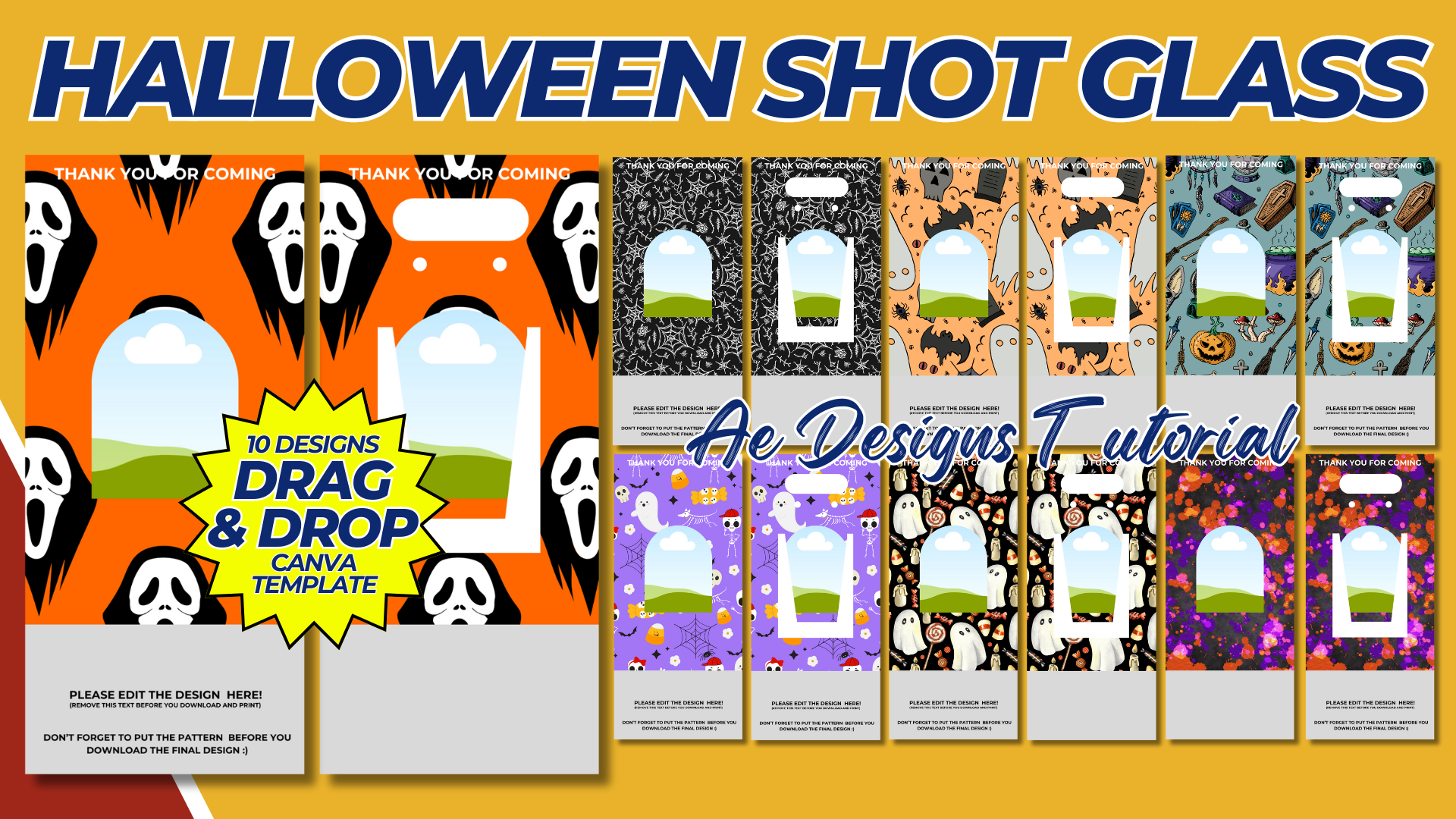

Halloween Shot Glass Template: Design and Ideas
Introduction
Halloween shot glasses are a fun and festive addition to any Halloween party or celebration. Whether you’re serving spooky cocktails, displaying them as decorations, or gifting them as party favors, customized Halloween-themed shot glasses add a unique touch to the occasion. With a well-designed template, you can create your own shot glass designs at home or send them to a print shop for professional production.
Shot Glass Dimensions and Template Size
Before creating your design, it’s important to know the dimensions of the shot glass to ensure your template will fit properly. Most standard shot glasses are around:
- Height: 2.5 – 3 inches (6.4 – 7.6 cm)
- Diameter: 2 inches (5 cm)
For the design area, you’ll typically need a rectangle that wraps around the shot glass. A safe design area would be:
- Width: 4.5 inches (11.4 cm)
- Height: 2 inches (5 cm)
Halloween Design Ideas for Shot Glasses
- Classic Halloween Icons:
- Pumpkin Faces: Create a variety of jack-o’-lantern faces, from spooky to silly.
- Ghosts: Add friendly or scary ghost illustrations.
- Witches: Images of witches, broomsticks, or cauldrons brewing potions.
- Skeletons and Skulls: Include skeleton figures, skulls with crossbones, or Day of the Dead-inspired designs.
- Spooky Typography:
- “Trick or Drink”: A playful take on the classic “trick or treat” slogan.
- “Boo!”: Add a fun, spooky font to the design for a simple but festive effect.
- “Cheers, Witches!”: Perfect for a witch-themed Halloween party.
- “Pick Your Poison”: Great for a scary but lighthearted design.
- Halloween Colors:
- Use traditional Halloween colors like black, orange, purple, and green in your design. Combine these colors with the typography or icons to give a festive look.
- Haunted House Theme:
- Incorporate elements like haunted houses, bats, and eerie trees to create a mysterious, spooky scene that wraps around the glass.
- Creepy Creatures:
- Spiders: A web design with a creepy-crawly spider.
- Bats: Create a pattern of bats flying around the shot glass.
- Black Cats: A sleek black cat silhouette for a more minimalist, yet festive look.
Creating Your Halloween Shot Glass Template
Step 1: Choose Your Design Software
There are several digital tools available to create your template:
- Adobe Illustrator or Photoshop: These programs allow for precision in creating custom designs and text.
- Canva: A simpler, free online tool that provides design templates and a user-friendly interface.
- Microsoft PowerPoint: For basic designs, you can use PowerPoint to arrange your images and text.
Step 2: Set Up the Canvas
- Create a canvas size that matches the dimensions of your shot glass design area, typically around 4.5 inches wide by 2 inches tall.
- Ensure that your design stays within this area to avoid wrapping or distortion when printed on the shot glass.
Step 3: Add Design Elements
- Import Halloween-themed clipart (e.g., pumpkins, ghosts, skulls) or create your own drawings.
- Add text with spooky or playful fonts to match the Halloween theme.
- Make sure your images and text are high-resolution (at least 300 dpi) for clear printing.
Step 4: Color and Finishing
- Use bold, high-contrast colors like black and orange, or neon green against a dark background to make the design pop.
- For a sleek, minimalist look, consider using only silhouettes in black or white.
Template Examples
- Design 1: “Pick Your Poison”
- Image: A skull and crossbones in the center.
- Text: “Pick Your Poison” in a bold, gothic font beneath the skull.
- Colors: Black text and image on an orange background.
- Design 2: “Trick or Drink”
- Image: A simple illustration of a candy bucket filled with shot glasses.
- Text: “Trick or Drink” in a playful, curly font.
- Colors: Purple and black.
- Design 3: Haunted House Wrap
- Image: A silhouette of a haunted house on one side, with bats and a full moon wrapping around the shot glass.
- Text: None or a small “Happy Halloween” on the back side.
- Colors: Black silhouette on an orange background.
- Design 4: “Cheers, Witches!”
- Image: A witch’s hat or broomstick with potion bottles.
- Text: “Cheers, Witches!” in a fun, cursive font.
- Colors: Black and purple, with accents of green for the potion.
Printing and Applying the Design
- Printing at Home:
- If you’re printing at home, use water slide decal paper. This special paper can transfer your design onto glass after printing with an inkjet printer.
- Follow the instructions for water slide decal application:
- Print your design on the decal paper.
- Cut around the design and soak it in water for 30-60 seconds.
- Slide the decal off the backing and onto the shot glass, positioning it carefully.
- Smooth out any air bubbles and let the decal dry.
- Sending to a Print Shop:
- You can also send your design to a professional print shop that specializes in custom glassware. Make sure your design is in the correct file format (usually PNG or PDF) and meets their resolution and size requirements.
- Many online retailers and custom print shops offer services for printing designs directly onto shot glasses.
Additional Ideas for Halloween Shot Glasses
- Glow-in-the-Dark: Consider using glow-in-the-dark vinyl or ink for extra spooky effect during the night.
- Personalized Names: Add guests’ names to the shot glasses for a personalized Halloween party favor.
- Gory Designs: For a more gruesome theme, add blood splatters or zombie hands reaching out from the sides.
Conclusion
Halloween shot glass templates are a fun way to bring a spooky vibe to your Halloween celebrations. By creating your own designs, you can customize the look, message, and overall aesthetic of the shot glasses to fit your party theme. Whether you opt for scary, cute, or quirky, a custom Halloween shot glass adds a festive touch to any gathering.
Ready to make your design come to life? Start experimenting with different icons, fonts, and colors to create the perfect Halloween shot glass template for your party!
NOTE: Isa isahin nyo na lang ung LINK anjan din kasi ung mga MATERIALS na pwede magamit at ung FILES.
MATERIALS & FILES: HALLOWEEN SHOT GLASS
CLICK HERE: https://bit.ly/4gkbjyq
CLICK HERE: https://bit.ly/3REjSJX
CLICK HERE: https://bit.ly/4gnQVfW
CLICK HERE: https://bit.ly/3AS2mMC
CLICK HERE: https://bit.ly/3LeqsCW
CLICK HERE: https://bit.ly/47mjmqn