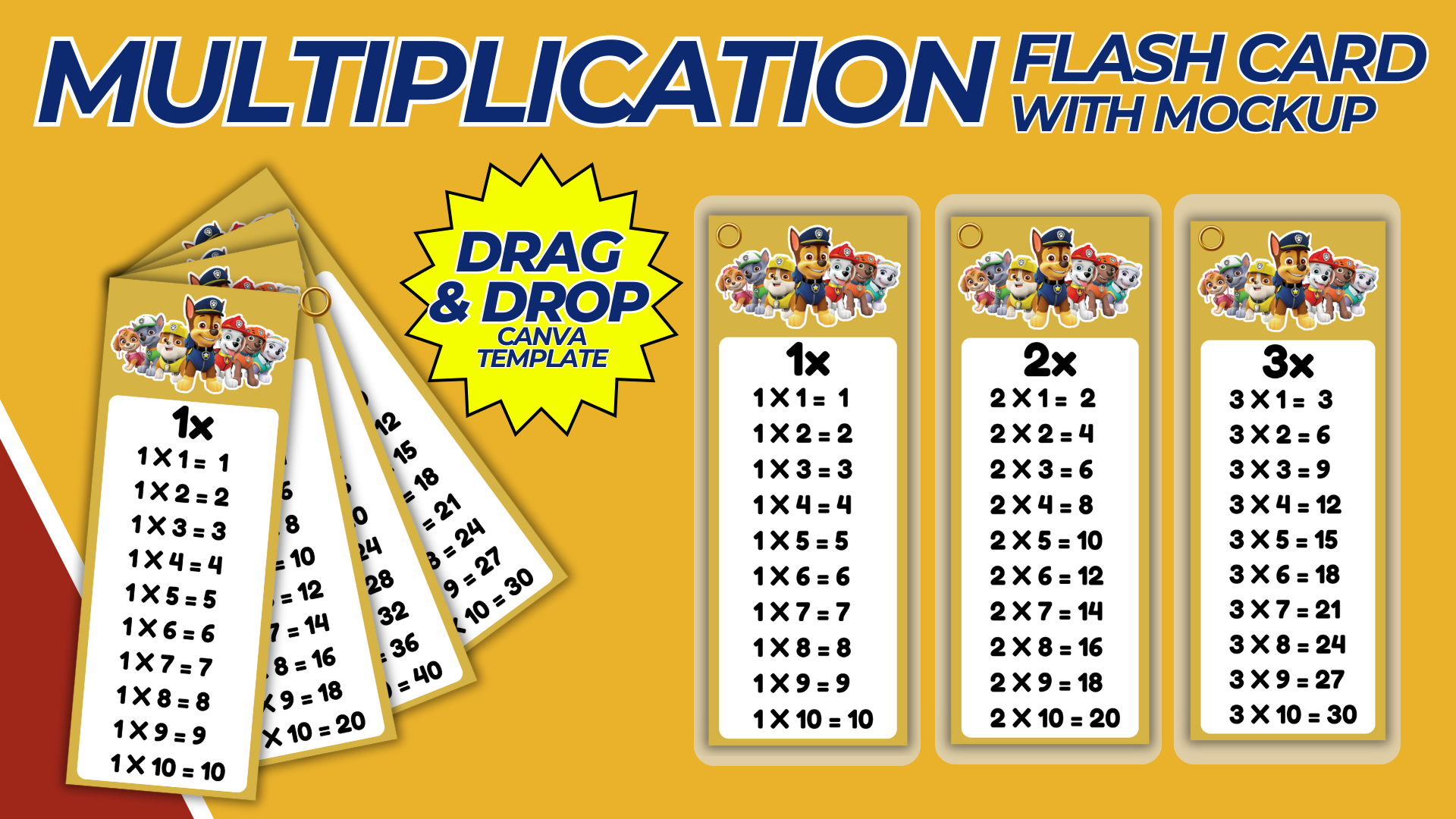

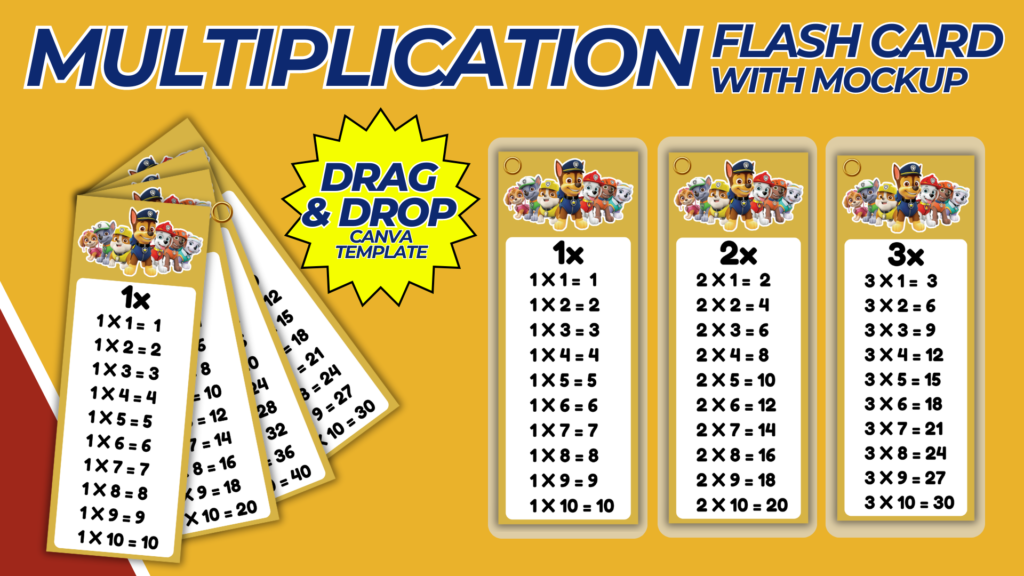
Creating a multiplication chart with a mockup is a great way to help students visualize and understand multiplication concepts. A well-designed multiplication chart can be a valuable educational tool, and a mockup can show how the chart will look when printed or displayed. Below is a step-by-step guide to designing a multiplication chart and creating a mockup.
Purpose and Benefits
Purpose:
- To create a visual aid that helps students learn and memorize multiplication tables.
- To provide an engaging and interactive way for students to practice multiplication.
Benefits:
- Enhances learning through visual representation.
- Makes multiplication practice more enjoyable.
- Can be used as a classroom poster, desk reference, or homework aid.
Materials and Tools Needed
- Computer with internet access.
- Design software like Canva, Adobe Illustrator, or Photoshop.
- High-quality images and icons (optional).
- Printer and high-quality paper for printing (optional).
- Mockup generator tool (e.g., Placeit, Smartmockups) or create your own in Photoshop.
Designing the Multiplication Chart
Step-by-Step Process:
- Create a Canva Account:
- Sign up for a free account at Canva or use other design software like Adobe Illustrator or Photoshop.
- Start a New Design:
- Click on “Create a design” and select “Custom dimensions.”
- Set the dimensions to the size you want for your chart (e.g., 16 x 20 inches for a poster).
- Choose a Layout:
- Select a grid layout that suits a multiplication chart. You can start with a blank grid or use a pre-designed template.
- Design the Multiplication Chart:
- Header: Add a title at the top, such as “Multiplication Chart.”
- Grid: Create a grid with 12 rows and 12 columns to include numbers 1 through 12. Each cell in the grid will represent the product of the row and column headers.
- Numbers: Fill in the headers for the rows and columns with numbers 1 through 12. In each cell, add the product of the corresponding row and column numbers.
- Color Coding: Use different colors to highlight rows, columns, or specific multiples (e.g., multiples of 5, 10, etc.).
- Visual Aids: Add icons or illustrations to make the chart more engaging for younger students.
- Customize the Design:
- Choose fonts that are clear and readable.
- Use colors that are visually appealing but not too distracting.
- Add borders or frames to each cell for better visibility.
- Ensure Printability:
- Make sure all elements are within the printable margins.
- Check that the resolution is high enough for clear prints.
- Save and download in a high-resolution format suitable for printing (e.g., PDF).
Creating the Mockup
Step-by-Step Process:
- Use a Mockup Generator:
- Use a mockup generator tool like Placeit or Smartmockups to create a realistic preview of your multiplication chart. Upload your design and choose a mockup template that suits your needs (e.g., a classroom wall, desk, or book).
- Create Your Own Mockup in Photoshop:
- Open Photoshop: Start with a high-resolution image of the context where the chart will be displayed (e.g., a classroom wall).
- Insert Chart Design: Place your multiplication chart design on the image.
- Adjust Size and Perspective: Use the Transform tool (Ctrl+T or Command+T) to adjust the size and perspective of the chart to fit the context realistically.
- Add Shadows and Effects: Add shadows and effects to make the chart look like it’s part of the scene.
- Save and Share:
- Save the mockup in a high-resolution format.
- Use the mockup for presentations, marketing materials, or previews for students and teachers.
Example Multiplication Chart Layout
Design Elements:
- Header: Bold title at the top, e.g., “Multiplication Chart.”
- Grid: 12×12 grid with row and column headers from 1 to 12.
- Numbers: Each cell contains the product of the corresponding row and column numbers.
- Color Coding: Use different colors for different rows/columns or multiples.
- Visual Aids: Small icons or illustrations for engagement.
Example Mockup Contexts
Contexts for Mockup:
- Classroom Wall: Show the chart as a large poster on a classroom wall.
- Student Desk: Display the chart on a student’s desk as a reference tool.
- Homework Aid: Show the chart as part of a student’s homework setup.
Conclusion
By following this guide, you can create an effective and visually appealing multiplication chart that helps students learn and practice multiplication. The mockup will provide a realistic preview of how the chart will look when printed or displayed, making it easier to visualize its practical use. Whether for classroom teaching, home learning, or as a product to sell, a well-designed multiplication chart is a valuable educational resource.
NOTE: Isa isahin nyo na lang ung LINK anjan din kasi ung mga MATERIALS na pwede magamit at ung FILES.
Materials MULTIPLICATION FLASHCARD
Click here: https://bit.ly/3Y0Z2IF
Click here: https://bit.ly/3RYUZsg
Click here: https://bit.ly/3y98qzn
Click here: https://bit.ly/3TNClnc
Click here: https://bit.ly/4ca8ooC
Click here: https://bit.ly/3LeqsCW