
New Temporary Motor Plate Canva Template
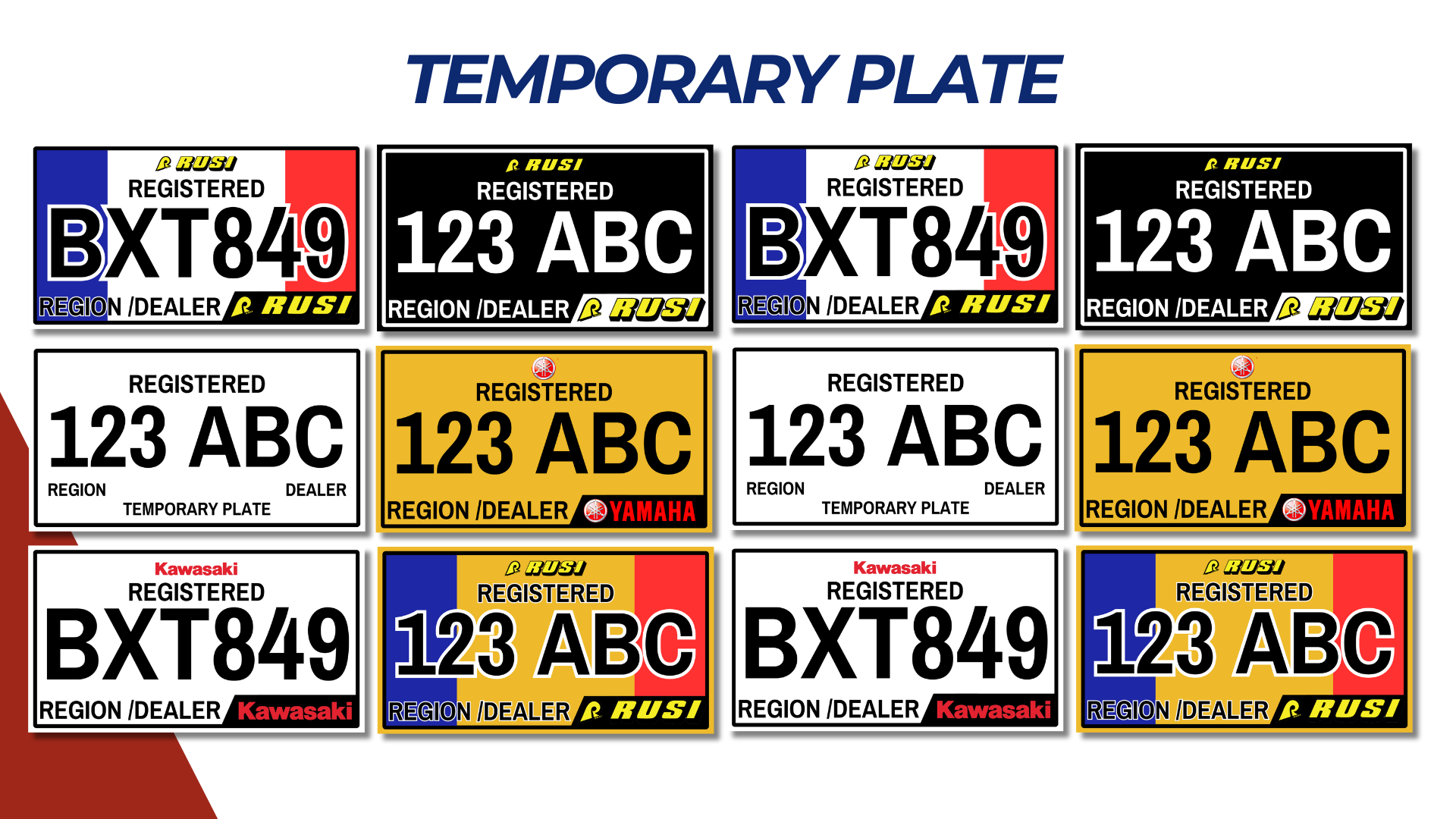
This Temporary Motor Plate Template is ideal for customizing vehicle registration plates. Perfect for car dealerships, vehicle renters, and transport agencies, the template is editable in Canva and designed to meet standard motor plate sizing and design requirements.
Template Specifications
- Plate Size:
- 12 x 6 inches (standard motor plate size).
- High-resolution (300 DPI) for print-ready quality.
- File Format:
- Canva template link for customization.
- Printable formats: PDF, PNG, JPG.
- Design Elements:
- Editable fields for vehicle details (e.g., plate number, dealership logo, issue/expiry date).
- Standard layout resembling official plates.
- Background: White or black with optional borders.
- Text alignment for clarity and visibility.
Design Layout
1. Header Section
- Placeholder for Agency/Dealer Name or “Temporary Plate” text.
- Font: Bold sans-serif, large size for easy readability.
- Color: Black or dark green for official look.
2. Plate Number
- Prominent display for the temporary plate number.
- Font: Bold and large (use fonts like Impact or Arial Black).
- Example: TEMP-2025-001.
3. Vehicle Information Section
- Fields for the following details:
- Make/Model: Toyota Hilux
- Color: White
- Engine No.: 123ABC456D
- Chassis No.: XYZ7891011A
- Date Issued: Jan 1, 2025
- Valid Until: March 1, 2025
4. Footer Section
- Disclaimer: “This is a temporary plate valid for the specified period only.”
- Small text for official remarks or notices.
5. Optional Design Elements
- Add watermarks or faint dealership logos.
- QR code linking to vehicle details or dealership contact information.
- Security marks (e.g., holographic patterns or unique designs).
Customization Options
- Colors:
- White background with black text for standard look.
- Use subtle color accents (e.g., blue or green) for branding.
- Logos and Branding:
- Space for dealership or agency logo at the top or bottom.
- Editable branding elements for personalization.
- Icons:
- Add icons like a car silhouette or a government seal.
Steps to Customize in Canva
- Open the Canva template link provided.
- Replace placeholder text with specific vehicle and dealership details.
- Adjust colors, fonts, or add logos to match branding.
- Save the customized design as a PDF for printing or PNG/JPG for digital use.
NOTE: Isa isahin nyo na lang ung LINK anjan din kasi ung mga MATERIALS na pwede magamit at ung FILES.
MATERIALS & FILES:
CLICK HERE: https://bit.ly/3EckfHp
CLICK HERE: https://bit.ly/3REjSJX
CLICK HERE: https://bit.ly/3AS2mMC
CLICK HERE: https://bit.ly/3LeqsCW
CLICK HERE: https://bit.ly/47mjmqn