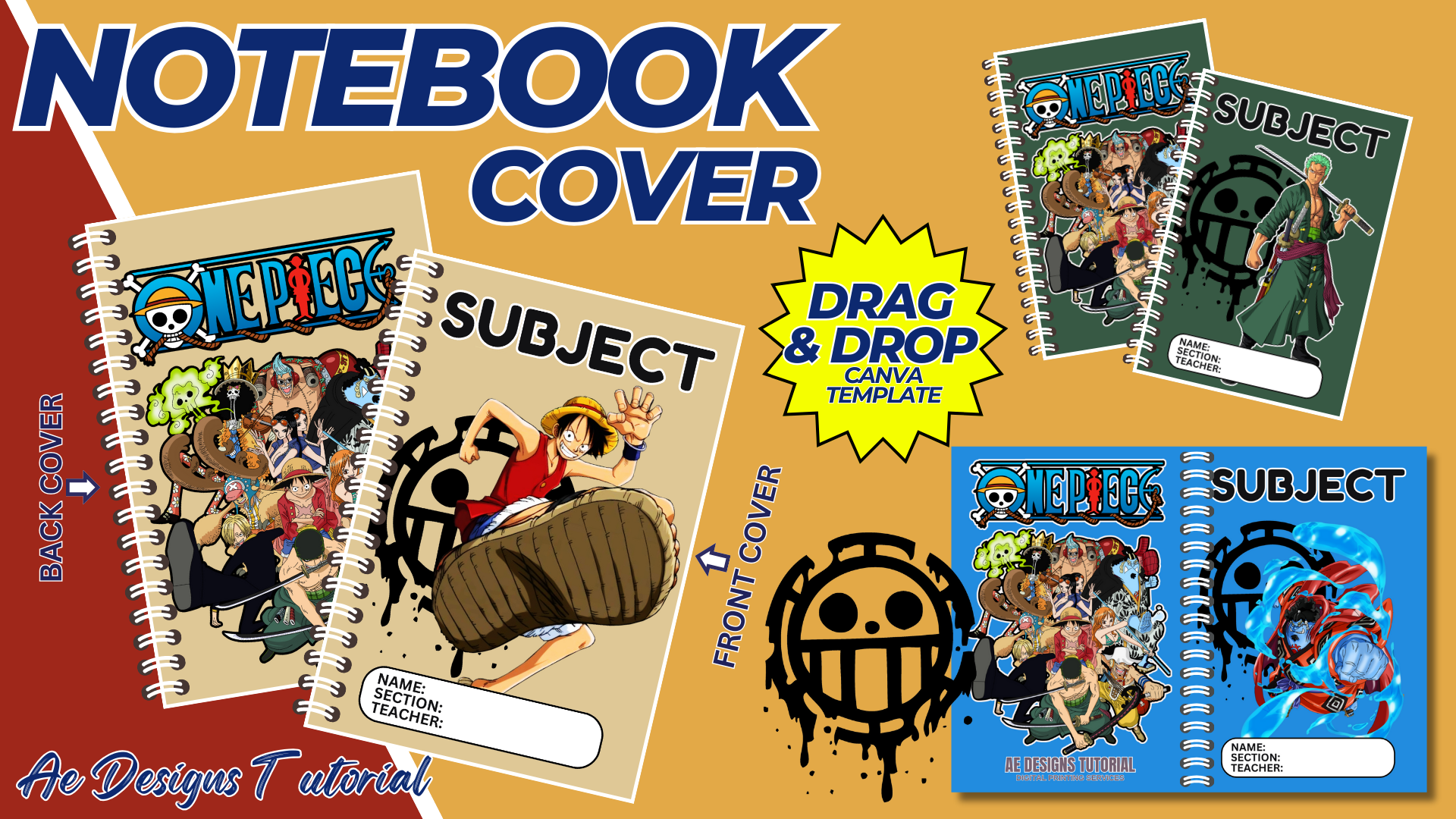

Creating a One Piece-themed notebook template is an exciting project for fans of the popular manga and anime series. This guide will provide detailed instructions on designing a One Piece notebook template, including key design elements, tools, and tips to make your notebook stand out. By the end of this guide, you will have a unique and engaging notebook template that captures the essence of One Piece.
1. Purpose and Benefits
Purpose:
- To create a custom notebook template inspired by the One Piece series, catering to fans of all ages.
- To provide a creative and personalized space for note-taking, journaling, or sketching.
Benefits:
- Encourages creativity and engagement among One Piece fans.
- Provides a unique and visually appealing notebook for personal or academic use.
- Can be used as a gift, merchandise, or personal project.
2. Materials and Tools Needed
- Computer with internet access
- Canva or similar design software (e.g., Adobe Photoshop, Illustrator)
- High-quality images and graphics related to One Piece
- Printer and high-quality paper (if printing at home)
- Binding materials (if creating a physical notebook)
3. Design Elements and Layout
Cover Design:
- Title:
- Place the title “One Piece” prominently on the cover using a font that matches the style of the series.
- Consider adding “Notebook” or a subtitle like “Journal” or “Sketchbook.”
- Main Image:
- Use a high-quality image of iconic characters such as Monkey D. Luffy, Roronoa Zoro, Nami, or the entire Straw Hat crew.
- Ensure the image is central and the focal point of the cover.
- Background:
- Choose a background that complements the main image, such as a map of the Grand Line, the Thousand Sunny, or a sea-themed pattern.
- Add subtle textures or overlays to enhance the design.
- Borders and Decorative Elements:
- Incorporate decorative elements like pirate flags, compasses, or waves to frame the cover.
- Use thematic colors that resonate with One Piece, such as shades of blue, gold, and red.
Inside Pages:
- Title Page:
- Include a title page with space for the notebook owner’s name, class, or a personal message.
- Add a small image or logo related to One Piece.
- Page Layout:
- Design various page templates such as lined, dotted, or blank pages for different uses.
- Include subtle One Piece graphics or watermarks in the corners or margins of each page.
- Character Profiles:
- Insert pages with profiles of main characters, including images and brief descriptions.
- These can serve as interesting breaks between sections or as dividers.
- Quotes and Catchphrases:
- Add inspirational quotes or famous lines from the series at the top or bottom of the pages.
- Use different fonts and styles to keep the design dynamic.
- Thematic Icons:
- Include small icons or symbols like the Straw Hat Pirates’ Jolly Roger, Devil Fruits, or swords to decorate the pages.
Back Cover:
- Secondary Image:
- Use a different image or a continuation of the front cover’s theme.
- Consider adding an image of the Going Merry or the Thousand Sunny sailing away.
- Contact Information:
- Leave space for contact information or a personal message if the notebook is lost.
4. Designing the Notebook in Canva
Step-by-Step Process:
- Create a Canva Account:
- Sign up for a free account at Canva.
- Start a New Design:
- Click on “Create a design” and select “Custom dimensions.” Set the dimensions to match your desired notebook size (e.g., A4 or A5).
- Cover Design:
- Begin with the front cover. Upload your chosen images and arrange them according to your layout plan.
- Use Canva’s text tools to add the title and any additional text.
- Incorporate backgrounds, borders, and decorative elements to complete the cover design.
- Inside Pages:
- Create a template for the title page. Add text boxes for the owner’s name and other details.
- Design various page templates (lined, dotted, blank) by creating separate pages in Canva.
- Insert character profiles, quotes, and icons as planned.
- Back Cover:
- Design the back cover, ensuring it complements the front cover.
- Add any necessary text or images.
- Review and Download:
- Review all the pages for consistency and alignment.
- Download the entire notebook as a high-quality PDF or image file for printing.
5. Printing and Binding
- Print the Pages:
- Use a high-quality printer and paper to print the notebook pages.
- Ensure the settings are set to the highest quality to capture all design details.
- Binding Options:
- Spiral Binding: Allows the notebook to lay flat when open and is easy to use.
- Staple Binding: Simple and effective for thinner notebooks.
- Perfect Binding: Professional-looking and suitable for thicker notebooks.
- Covers:
- Print the cover on thicker paper or cardstock for durability.
- Laminate the cover for added protection and a professional finish.
- Assemble the Notebook:
- Arrange the pages in the correct order.
- Bind the notebook using your chosen method.
6. Creative Tips and Ideas
Customization:
- Allow for customization by including blank spaces for sketches, doodles, or personal notes.
- Offer different themes within the One Piece universe, such as specific arcs (e.g., Alabasta, Skypiea) or characters.
Digital Version:
- Create a digital version of the notebook template for fans who prefer using tablets or computers.
Interactive Elements:
- Include interactive elements like puzzles, mazes, or trivia related to One Piece.
Limited Editions:
- Design limited edition covers or special pages for anniversaries, holidays, or special events.
7. Conclusion
Creating a One Piece notebook template is a rewarding project that combines creativity with a love for the popular series. By following this comprehensive guide, you can design a unique and engaging notebook that captures the spirit of One Piece. Whether for personal use, as a gift, or for commercial purposes, your One Piece-themed notebook will undoubtedly delight fans and encourage creativity. Embrace the adventure, and let your design journey be as exciting as a voyage on the Grand Line!
NOTE: Isa isahin nyo na lang ung LINK anjan din kasi ung mga MATERIALS na pwede magamit at ung FILES.
Materials & ONE PIECE NOTEBOOK COVER W/MOCKUP
Click here: https://bit.ly/4ctrveY
Click here: https://bit.ly/3RNvjiq
Click here: https://bit.ly/3TNClnc
Click here: https://bit.ly/3xHJf6K
Click here: https://bit.ly/3L84P7o
Click here: https://bit.ly/3RNvp9M