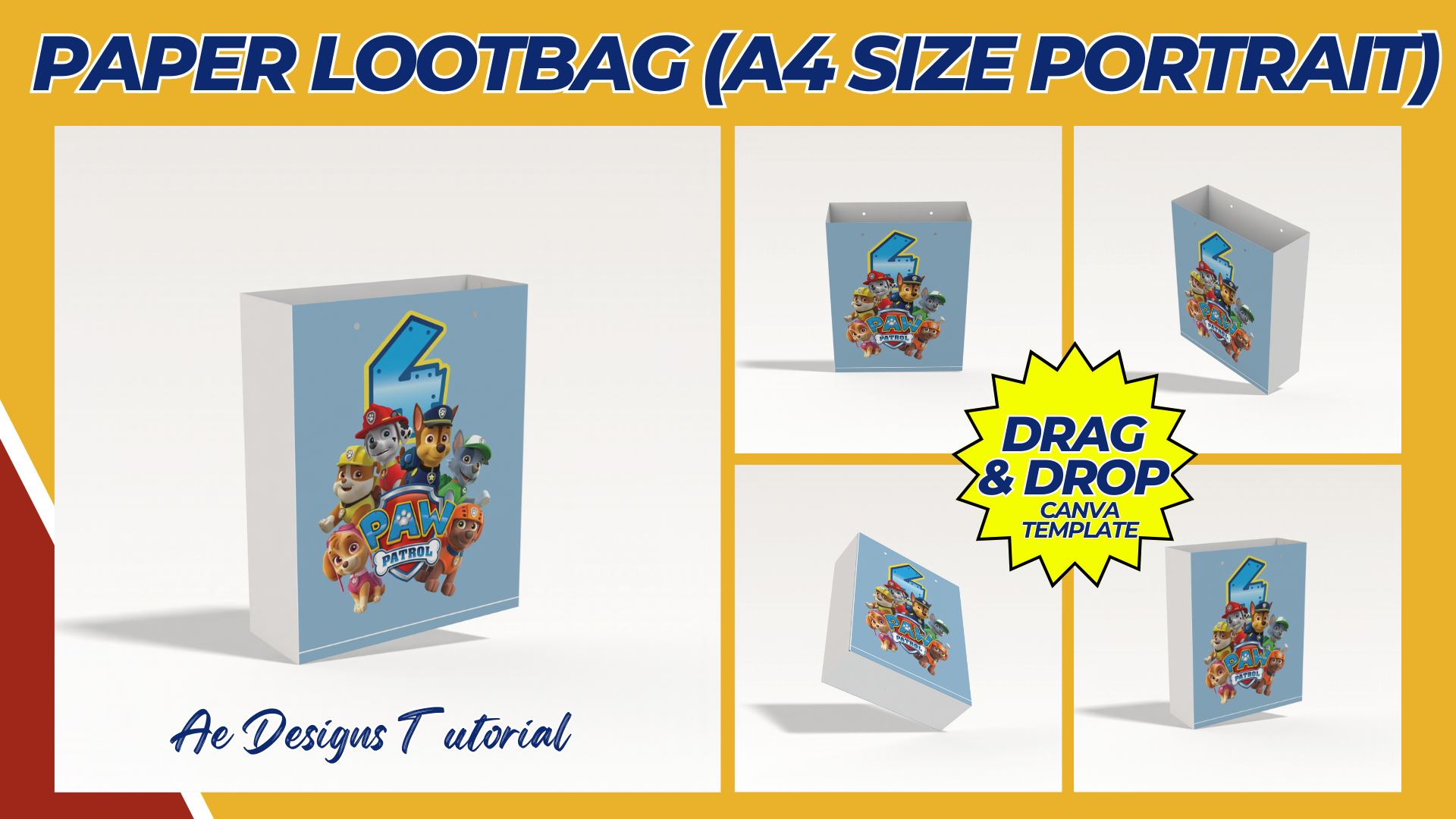

To create a Paw Patrol-themed Loot Bag Template, you’ll want to capture the excitement and fun of the popular children’s show. Since the theme revolves around puppies and adventure, you can incorporate the show’s characters, bright colors, and related symbols like paw prints, badges, and bones.
Here’s a step-by-step guide to designing the perfect Paw Patrol Loot Bag Template that’s ready to print:
Step 1: Choose the Loot Bag Dimensions
The typical size for a loot bag template is about 6 x 9 inches (15 x 23 cm), but you can adjust the size based on personal preferences or printing requirements.
Step 2: Select Key Design Elements
To maintain the Paw Patrol theme, you can include the following elements:
- Characters: Use images of the main Paw Patrol pups like Chase, Marshall, Skye, Rubble, Rocky, and Zuma.
- Colors: Incorporate bright, fun colors like blue, red, yellow, and green which are often associated with the show.
- Icons: Add themed icons like paw prints, bones, and badges.
- Logo: You can include a badge or shield design inspired by the Paw Patrol logo.
Step 3: Front Design
The front of the loot bag should be vibrant and feature elements that children will instantly recognize. Here’s how you can design it:
- Title/Headline:
- Add a bold header at the top of the loot bag that says something fun like “Thanks for Coming!” or “Paw Patrol Party!“
- Main Characters:
- Place an image of the Paw Patrol characters, like Chase and Skye, in the center of the design.
- Background:
- Use a bright background, like blue with a subtle paw print pattern, or make the background look like the Paw Patrol tower or Adventure Bay.
- Icons:
- Add paw prints or bones scattered around the design to give it a fun, thematic feel.
Step 4: Back Design
On the back of the loot bag, you can keep it simpler but still fun:
- Thank You Note:
- Include a short message like, “Thank you for being part of our paw-some adventure!“
- Character Badges:
- Use the individual character badges or logos in small icons at the bottom or top corners of the design.
- Paw Patrol Shield:
- Place a shield symbol or bone at the center back with the child’s name or a blank space where names can be written.
Step 5: Add Customization Option (Optional)
For a more personal touch, add a “To” and “From” section on the back or side of the bag, where the gift-giver can write names.
Step 6: File Format & Print Settings
- Resolution: Ensure the template is set to 300 DPI for a clear, crisp print.
- File Format: Save the design as a PDF or PNG file.
- Print Quality: Print on sturdy cardstock or use a heavier-weight paper to make the loot bags durable for holding treats and toys.
Example Paw Patrol Loot Bag Template Layout:
- Front Layout:
- Top Section: “Paw Patrol Party!” with a Paw Patrol logo.
- Middle Section: Characters like Chase, Skye, and Marshall standing with adventure-related items.
- Background: Light blue with scattered paw prints or a skyline view of Adventure Bay.
- Bottom Section: Large paw prints with “Thanks for Coming!” written in bold letters.
- Back Layout:
- Top Section: A thank-you message in fun, colorful text.
- Middle Section: A central Paw Patrol shield or badge with room for a name.
- Bottom Section: Icons of bones or character badges along the edge.
NOTE: Isa isahin nyo na lang ung LINK anjan din kasi ung mga MATERIALS na pwede magamit at ung FILES.
Materials PAWPATROL LOOTBAG
Click here: https://bit.ly/3Y0Z2IF
Click here: https://bit.ly/3RYUZsg
Click here: https://bit.ly/3TNClnc
Click here: https://bit.ly/4exnExk
Click here: https://bit.ly/3LeqsCW