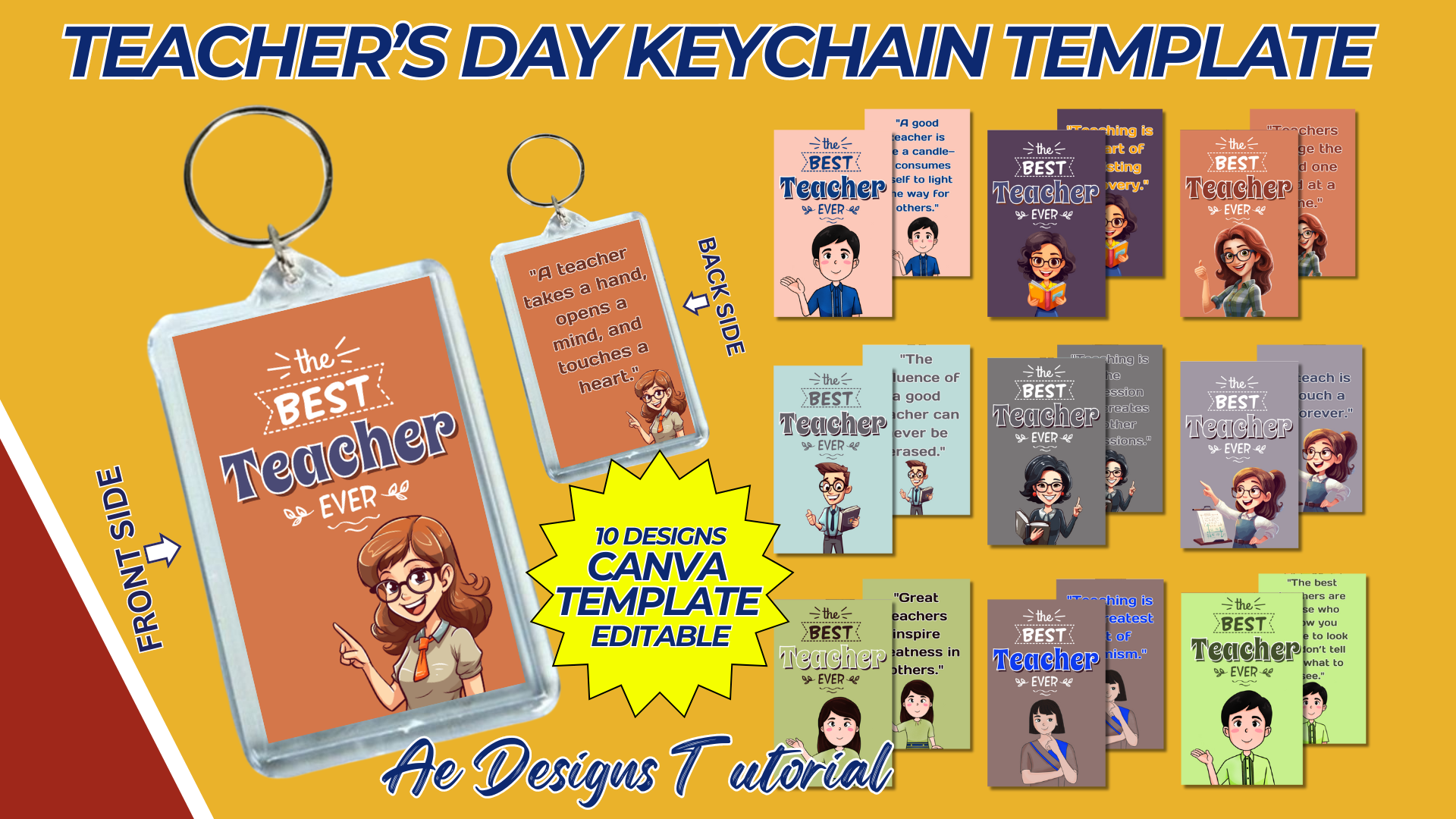

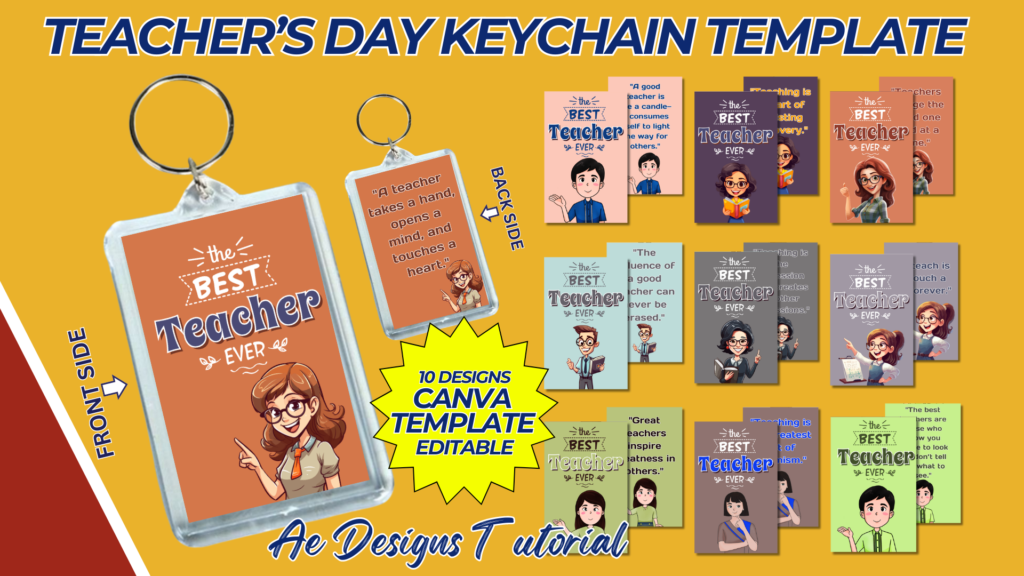
Creating a teacher’s acrylic keychain template is a great way to design a personalized and thoughtful gift for teachers. Below is a guide on how to design this template:
1. Keychain Shape and Size
- Shape Options: Common shapes include circles, rectangles, squares, and apple shapes. Custom shapes (like a pencil, chalkboard, or book) are also popular.
- Size: The typical size for acrylic keychains is about 2-3 inches in diameter or length. Ensure the design fits within this size.
2. Design Elements
- Background Color: Choose a solid color, gradient, or patterned background. Consider using school-related themes or colors that match the teacher’s preferences.
- Borders: Add a thin border around the edge of the keychain design. This helps in defining the shape and giving it a polished look.
3. Text and Fonts
- Name of the Teacher: Include the teacher’s name prominently on the keychain. Use a clear, bold font for readability.
- Font Style: Consider using playful yet professional fonts like Comic Sans, Chalkboard, or Sans Serif.
- Font Size: Ensure the font size is large enough to be read easily but small enough to fit within the keychain’s dimensions.
- Title or Role: Add the teacher’s title or role (e.g., “Best Teacher,” “Ms. Smith,” or “Grade 1 Teacher”) below or above the name.
- Font Style: Use a complementary font that pairs well with the name. This could be a script or decorative font.
- Font Size: Slightly smaller than the name font size.
4. Graphics and Icons
- School-Related Icons: Include small graphics like apples, pencils, books, rulers, or chalkboards. These icons can be placed near the name or as part of the background design.
- Personalization: If possible, include elements that reflect the teacher’s interests or subject taught (e.g., music notes for a music teacher, mathematical symbols for a math teacher).
- Placement: Arrange icons around the name or in the corners of the keychain. Ensure they do not clutter the design.
5. Layout
- Centered Design: Place the teacher’s name and title in the center of the keychain, with icons and graphics surrounding it.
- Balanced Composition: Ensure the design is balanced, with equal spacing and alignment of elements.
6. Finishing Touches
- Glossy or Matte Finish: Choose a finish for the acrylic that complements the design. Glossy finishes make colors pop, while matte finishes can offer a more sophisticated look.
- Layering: If using a layered design, ensure that the top layer (where the text is) is clear and easy to read against the background.
7. Mockup
- Presentation: Create a digital mockup of the keychain to show how the final product will look. This can be done using graphic design software like Canva or Adobe Illustrator.
- Details: Include details like the keychain’s size, shape, and the placement of the keyring hole. This helps in visualizing how the keychain will be used.
8. File Format
- SVG/PDF: Provide the template in a vector format like SVG or PDF. This ensures that the design can be resized without losing quality.
- Editable File: Include an editable version of the template (e.g., AI, PSD) so that it can be customized with different names or details.
9. Print and Cut Guidelines
- Cut Lines: Add cut lines around the design to indicate where the acrylic should be cut. Ensure these lines are clearly marked and separated from the design elements.
- Safe Zone: Define a safe zone inside the cut lines to ensure that no important elements are cut off during production.
10. Customization
- Teacher’s Preferences: Offer options for customization, such as different colors, fonts, or icons, to cater to individual teacher preferences.
- Message: Allow for a short, personalized message on the back of the keychain if the design is double-sided.
This teacher’s acrylic keychain template is designed to be simple yet customizable, making it a perfect gift for educators. It combines functionality with a personal touch, creating a memorable keepsake.
NOTE: Isa isahin nyo na lang ung LINK anjan din kasi ung mga MATERIALS na pwede magamit at ung FILES.
MATERIALS & FILES: TEACHER’S ACRYLIC KEYCHAIN TEMPLATE
CLICK HERE: https://bit.ly/3REjSJX
CLICK HERE: https://bit.ly/3Tn4qTk
CLICK HERE: https://bit.ly/3AS2mMC
CLICK HERE: https://bit.ly/3LeqsCW
CLICK HERE: https://bit.ly/47mjmqn